Every car, live
Where each car is, ignition on or off, speed and today’s km.
Read the guideA car out on rent or with a driver is your asset in someone else’s hands. BPN-TRACK shows where it is, how it is being driven and how many km it has done — and alerts you if the GPS power is cut or the car leaves the area you agreed.
No account needed: choose “Try the demo”, give your name, mobile and email and the code sent to your email, and a demo with a ready fleet opens for two hours.
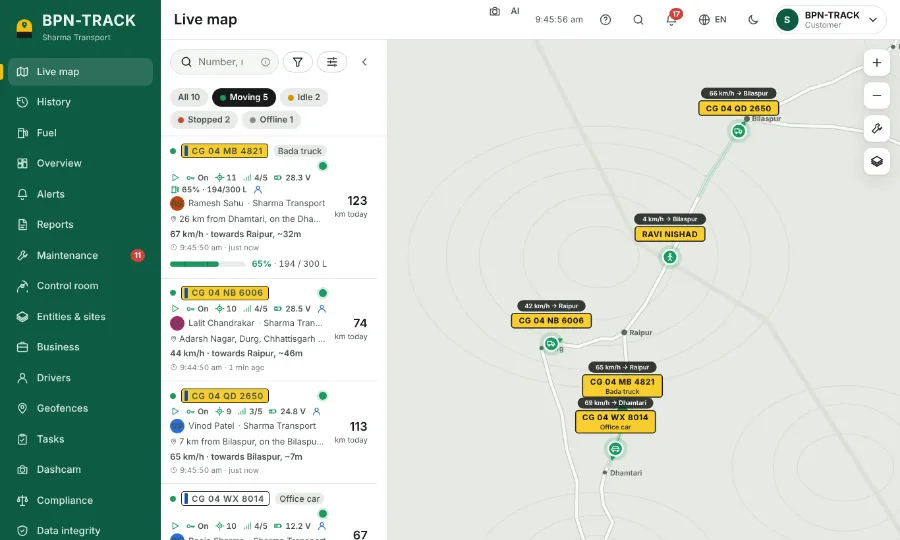
Where each car is, ignition on or off, speed and today’s km.
Read the guideGet an alert if the GPS power is cut or the ignition is switched on.
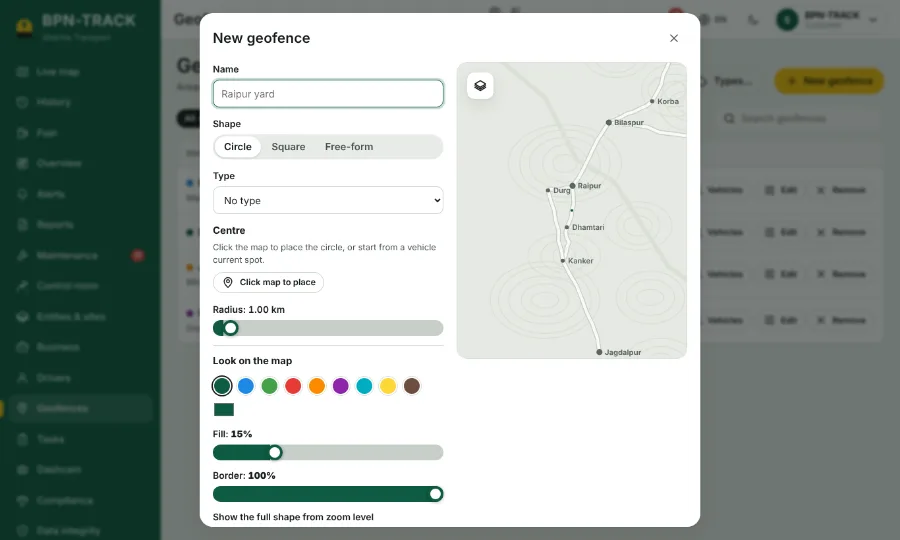
Read the guideDraw the area a rental may go to and get an alert when a car leaves it.
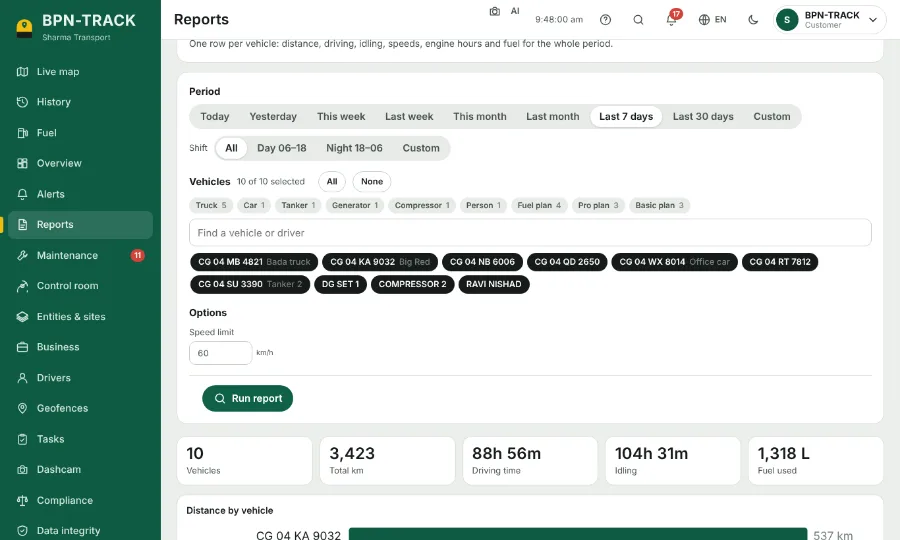
Read the guideTrip, stop and daily summary reports for any car and any dates, in Excel or PDF.
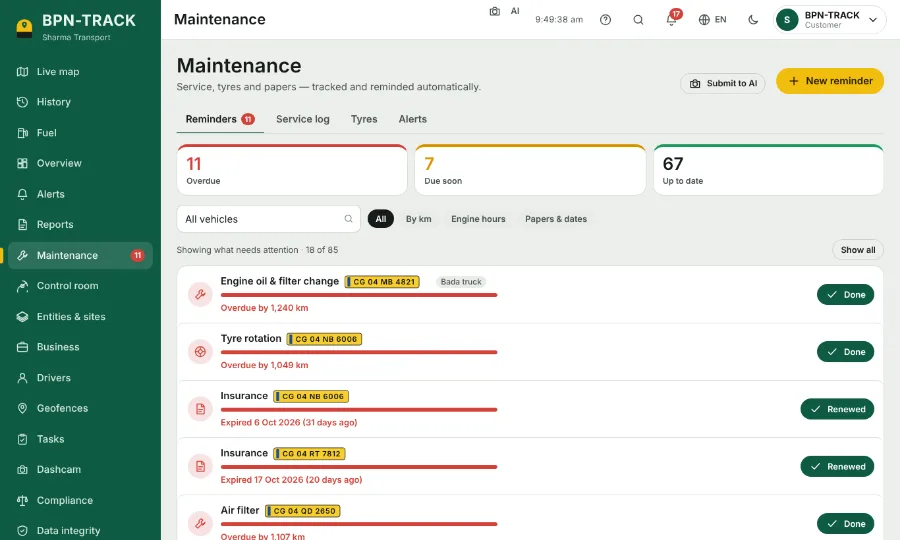
Read the guideOil, tyres, insurance, permits and PUC reminded by km or date.
Read the guideSend a passenger or a customer a live location link that expires.
Read the guideAll your vehicles on one map and one list, refreshed every few seconds — moving, idle, stopped or offline at a glance.
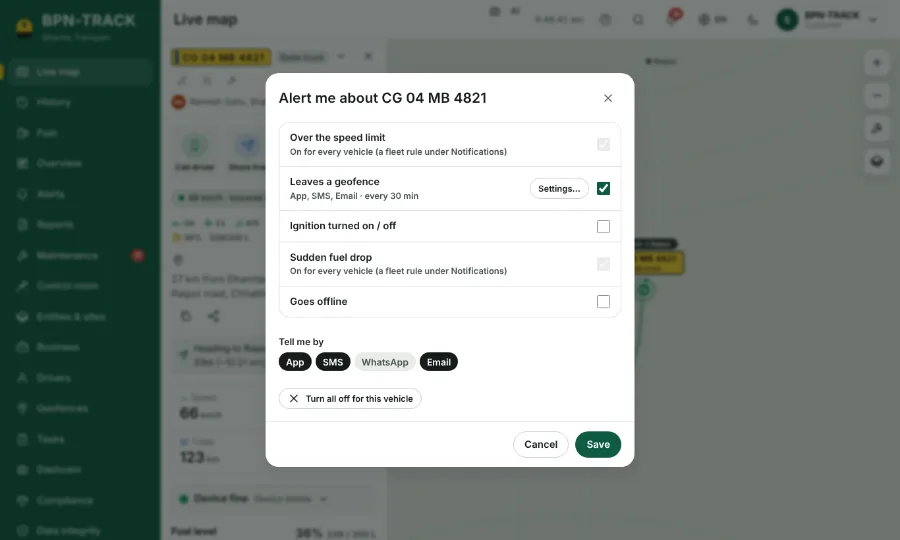
Read the guideOverspeed, geofence entry and exit, ignition, power cut, fuel and more — chosen for each vehicle.
Read the guideCircles or shapes in your own colour for yards, customer sites, no-go zones, tolls and fuel pumps.
Read the guideFuel consumption per vehicle: used, refilled, lost, km per litre and the cost at your fuel price.
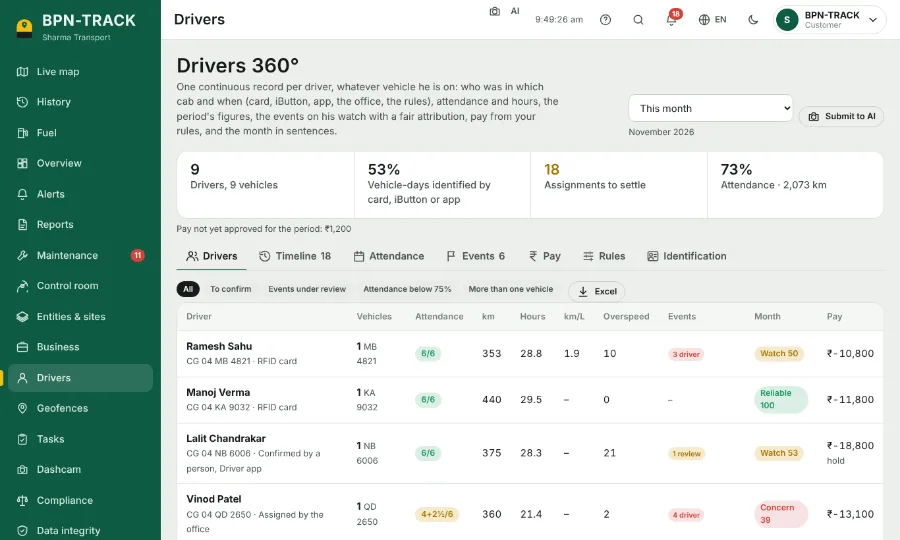
Read the guideWhich driver had which vehicle and when, attendance, hours, km, overspeed and the month’s grade.
Read the guideOil, tyres, insurance, permits and PUC — reminded by km, engine hours or date.
Read the guideYes. Power cut is one of the alerts you can switch on for each vehicle, by app notification, SMS, WhatsApp or email.
Yes. Open app.bpntrack.com and choose “Try the demo”. Enter your name, mobile and email, then the code sent to that email. A demo with a built-in fleet opens for two hours — no account needed.
The iPhone app is on its way. Until then, an iPhone user can open app.bpntrack.com in the phone’s browser — the web app works in any browser on a computer or phone. The Android app is on Google Play.
Open the live demo on your phone or computer. Questions? Our team in Raipur answers in Hindi and English.
Every screen of the app and the web, with screenshots and explanations — download it now and read it later on your phone.