Everything BPN-TRACK does — GPS tracking and fuel monitoring, feature by feature
This page mirrors the app’s own features page. Every section links to the step-by-step guide topic for that screen, in English or Hindi — and you can open the live demo to try it yourself, no account needed.
No account needed: choose “Try the demo”, give your name, mobile and email and the code sent to your email, and a demo with a ready fleet opens for two hours.
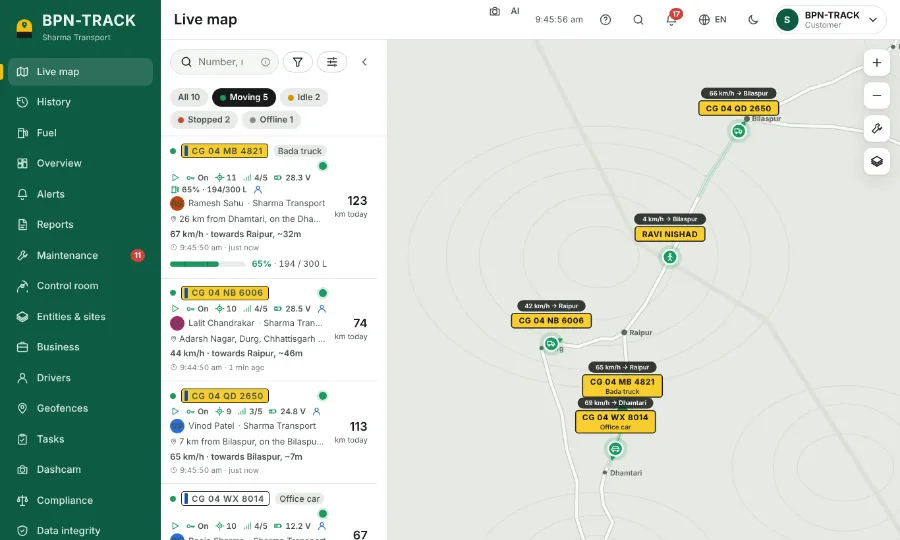
Live GPS tracking of every vehicle
All your vehicles on one map and one list, refreshed every few seconds — moving, idle, stopped or offline at a glance.
- Search commands like
fuel>50orstopped>2hfind the right vehicles instantly. - The vehicle panel shows speed, ignition, today’s km, odometer, fuel level, and today’s trips and stops.
- Full address of every position: village, nearest big town and street.
- Share a vehicle’s live location as a link that expires — the person you send it to needs no app and no login.
- Read the guide: Find your vehicles on the Live map
- Read the guide: The vehicle panel
- Read the guide: Search commands and Sort & filter
- Read the guide: Share a vehicle's live location
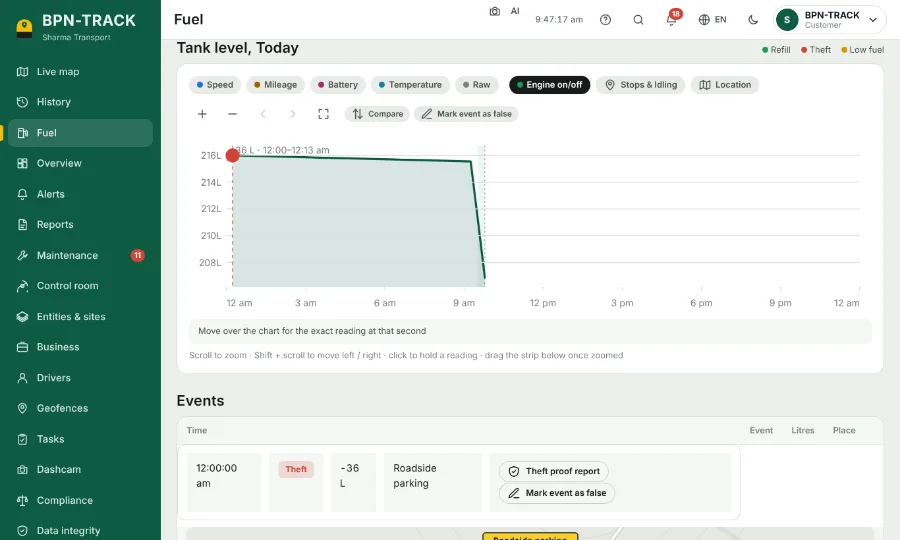
Fuel monitoring with a fuel level sensor
The tank level over the whole day, with speed and engine time on the same chart.
- Accurate refill and drain alerts: fuel sloshing in the tank does not raise false alerts.
- Every fill and every suspected fuel loss is marked with its time, place and litres.
- Look at any day or any date range.
- Wired and Bluetooth fuel level sensors are supported.
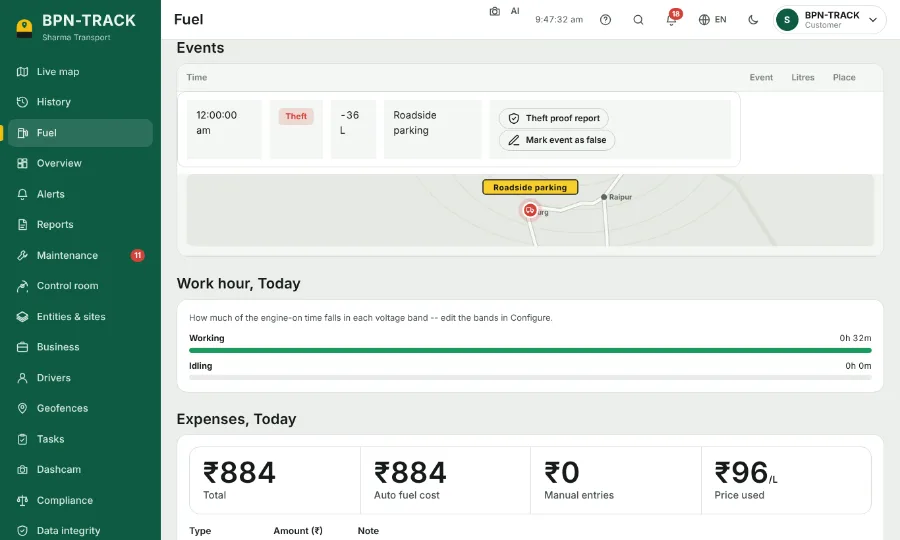
Diesel theft alerts
Suspected fuel loss is marked red on the fuel chart, with the place, the litres and the readings around it.
- Micro fuel theft caught down to 100 ml* — in metal and fibre tanks.
- Street photos of the spot, where they exist.
- A proof you can copy or print and show to the driver, the pump or your accountant.
- Alert by app notification, SMS, WhatsApp or email.
- An event you know is not real (for example, the tank was being serviced) can be marked false, and totals leave it out.
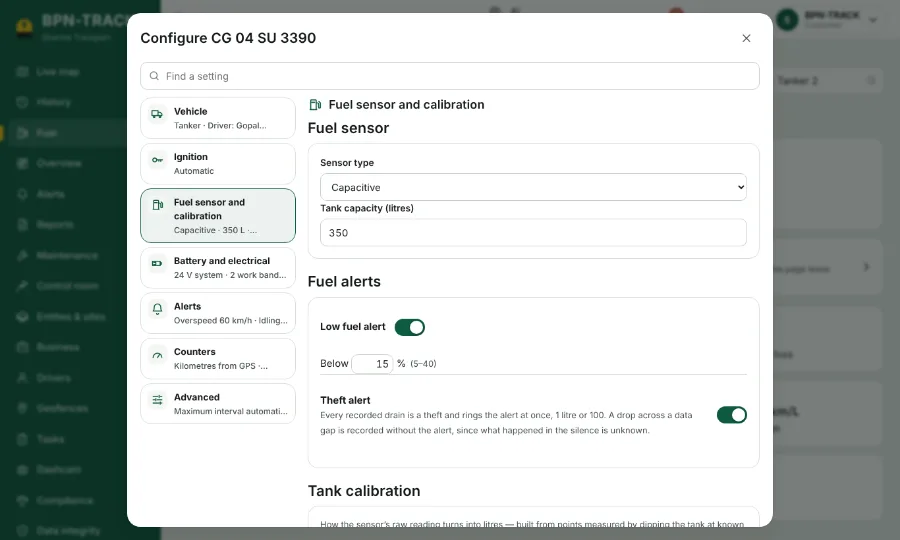
Fuel tank calibration
Tell the app the tank size and how the sensor’s reading turns into litres — by hand, or import the calibration table from CSV or Excel.
- A preview draws the curve, so a wrong row is easy to spot before you save.
- Set for each vehicle’s own tank.
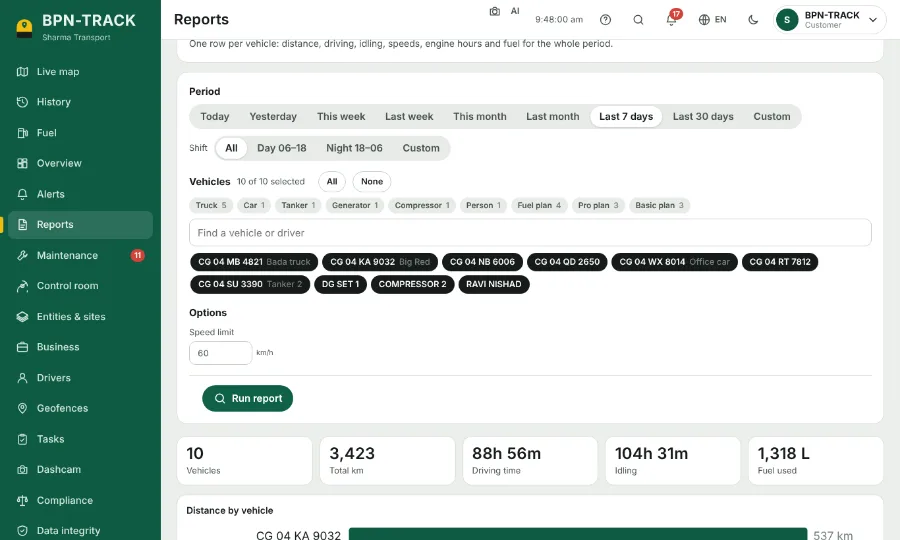
Fuel refill and drain reports, and trip, stop, driver and other reports
Fuel consumption per vehicle: used, refilled, lost, km per litre and the cost at your fuel price.
- Fill-ups, and fuel loss events with proof.
- Trips, stops, daily summaries, geofence visits, alerts, maintenance and the driver scorecard.
- Excel, PDF or print — or by email daily, weekly or monthly.
- Long reports prepare in the background while you keep working.
- Read the guide: Run a report
- Read the guide: Reports by email on a schedule
- Read the guide: Long reports run in the background
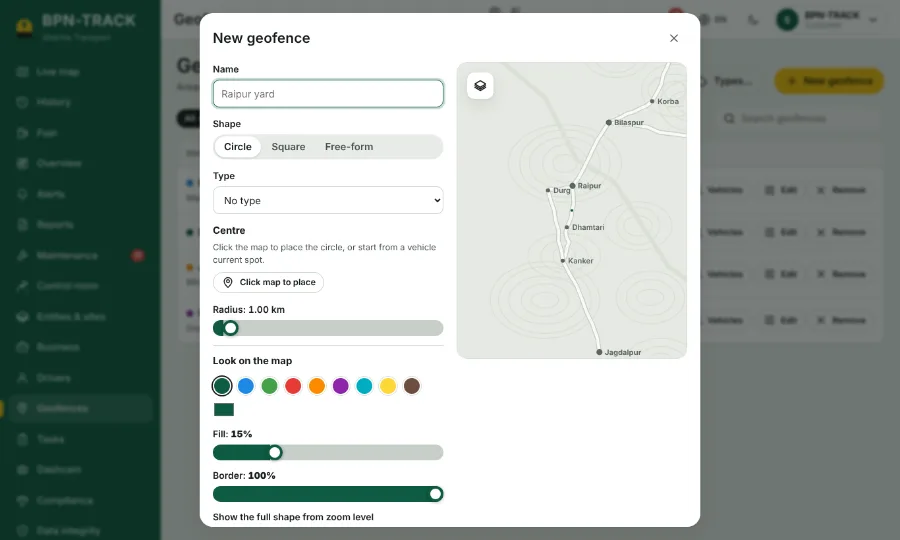
Geofences with entry and exit alerts
Circles or shapes in your own colour for yards, customer sites, no-go zones, tolls and fuel pumps.
- For each geofence choose which vehicles alert, on entry, exit or both, and at what hours.
- The Overview shows how many vehicles are inside each area right now.
- Read the guide: Draw a geofence
- Read the guide: Geofence types and the Overview tile
- Read the guide: Entry and exit alerts for each geofence
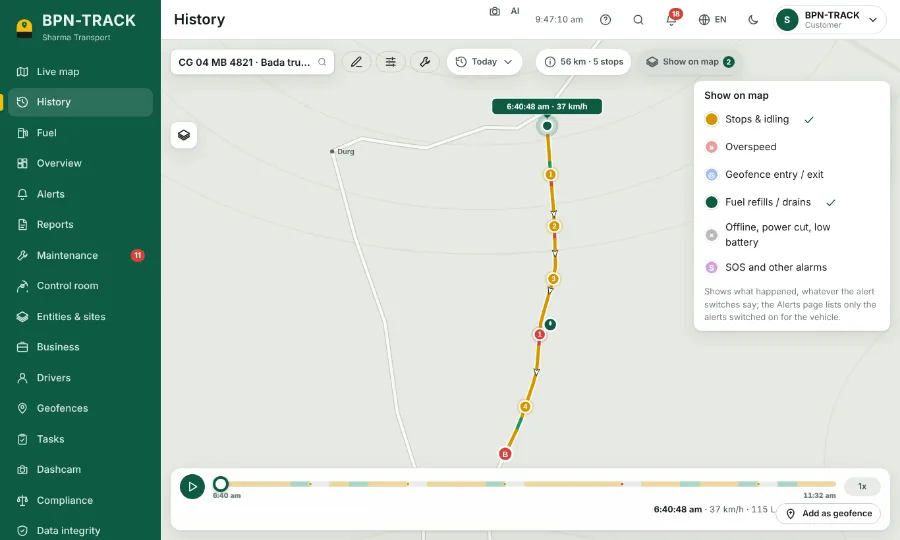
Heat maps
See on the Live map where vehicles park, idle, drive at night, overspeed — and where fuel loss happened.
- Today, 7 days, 30 days or your own dates.
- Compare with the previous period.
- Make a geofence from a hotspot.
- Read the guide: Map tools and the map type
- Read the guide: Show on map: what happened along the route
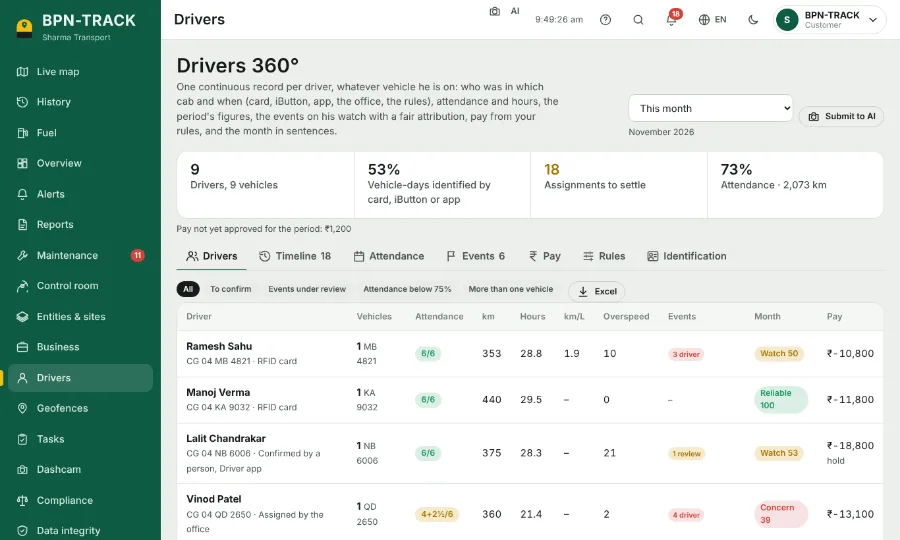
Driver records and scoring (Drivers 360°)
Which driver had which vehicle and when, attendance, hours, km, overspeed and the month’s grade.
- Assign a driver to each vehicle.
- Staff logins that show only the screens each person needs.
- Read the guide: Drivers 360°: each driver's month
- Read the guide: Give a vehicle its driver
- Read the guide: Logins for your staff
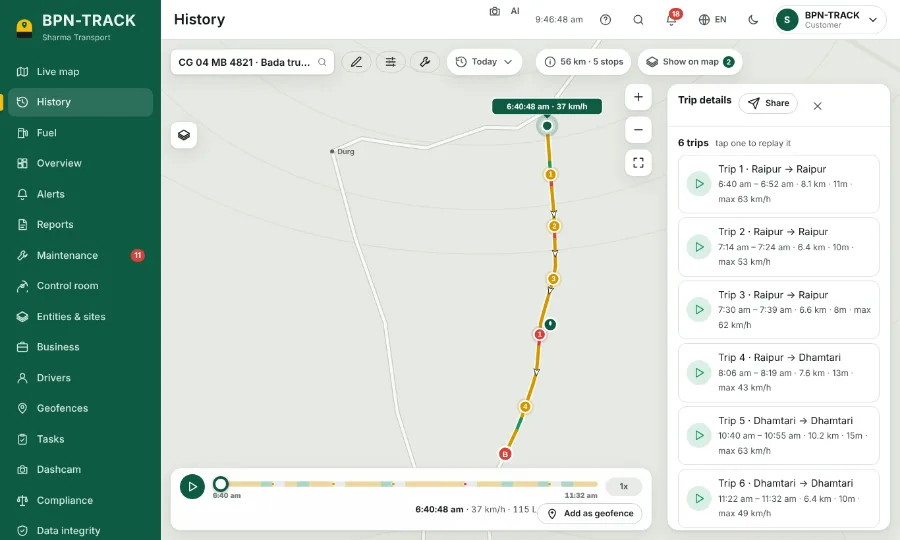
Dashcam (an add-on per camera)
Live view, and important moments as short clips — with where and how the vehicle was being driven.
- The owner decides which roles may watch.
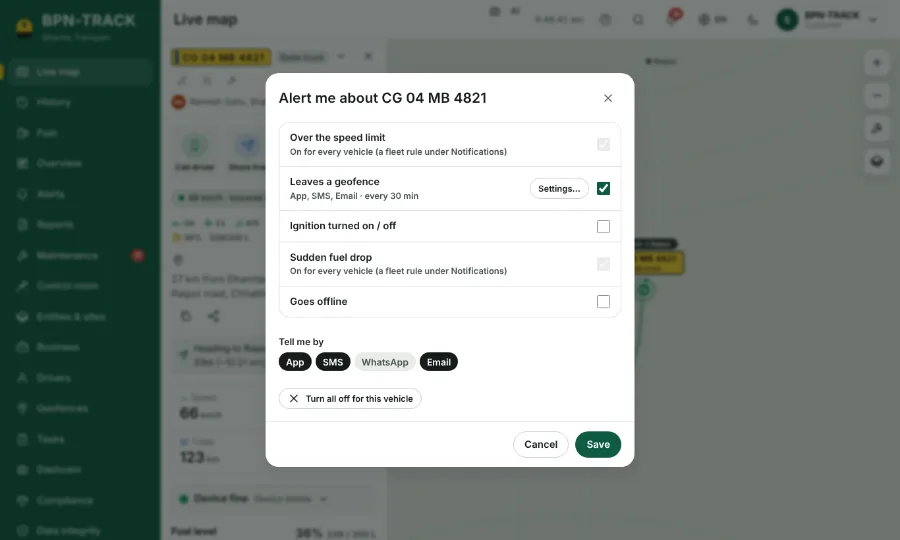
Alerts on your phone, vehicle by vehicle
Overspeed, geofence entry and exit, ignition, power cut, fuel and more — chosen for each vehicle.
- Quiet hours, so you are not woken up for nothing.
- Channels: app notification, SMS, WhatsApp, email.
- Read the guide: Choose the alerts for each vehicle
- Read the guide: The Alerts page and the bell
- Read the guide: App notifications and the app on your phone
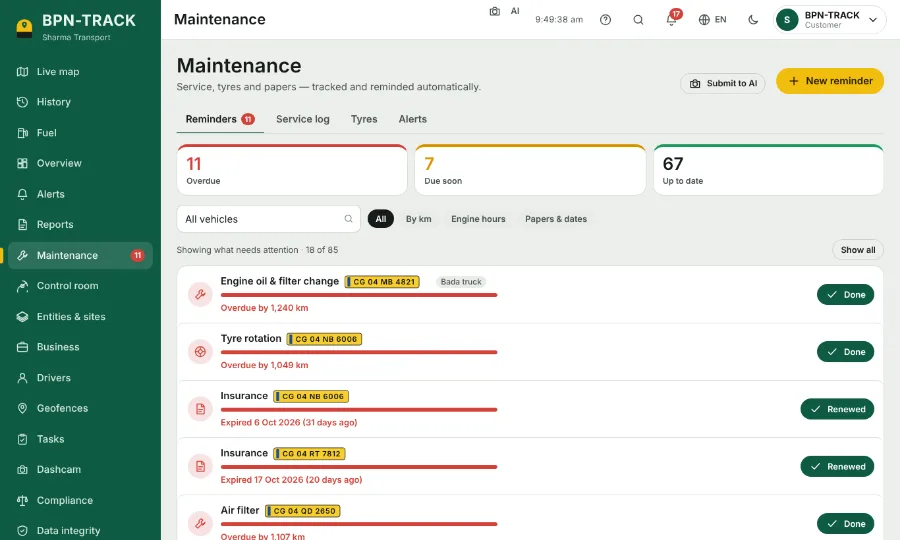
Maintenance, papers and renewals
Oil, tyres, insurance, permits and PUC — reminded by km, engine hours or date.
- See which vehicles are due, and renew them together online.
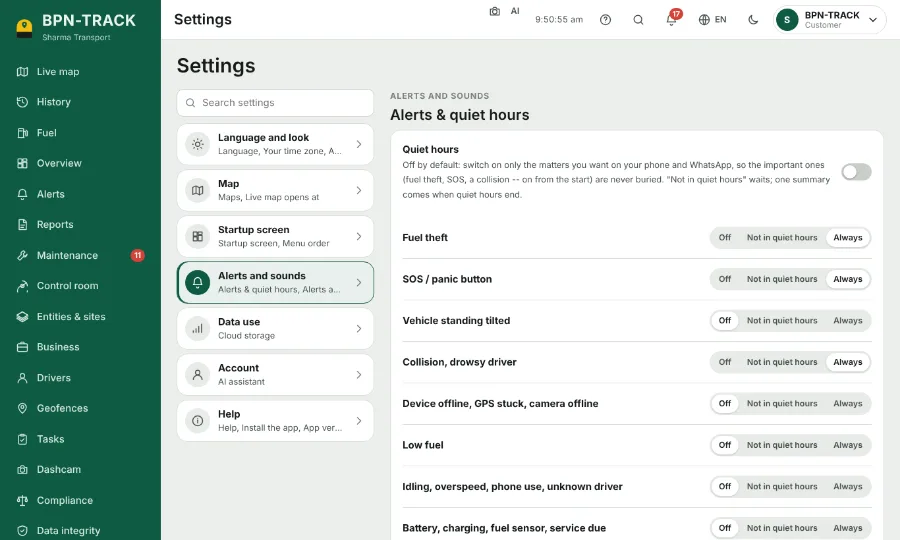
Android app, the web — and the iPhone app on its way
The same account in any browser on a computer or phone, and in the Android app. The iPhone app is on its way.
- Notifications arrive even when the app is closed.
- Tapping a notification opens exactly what it is about.
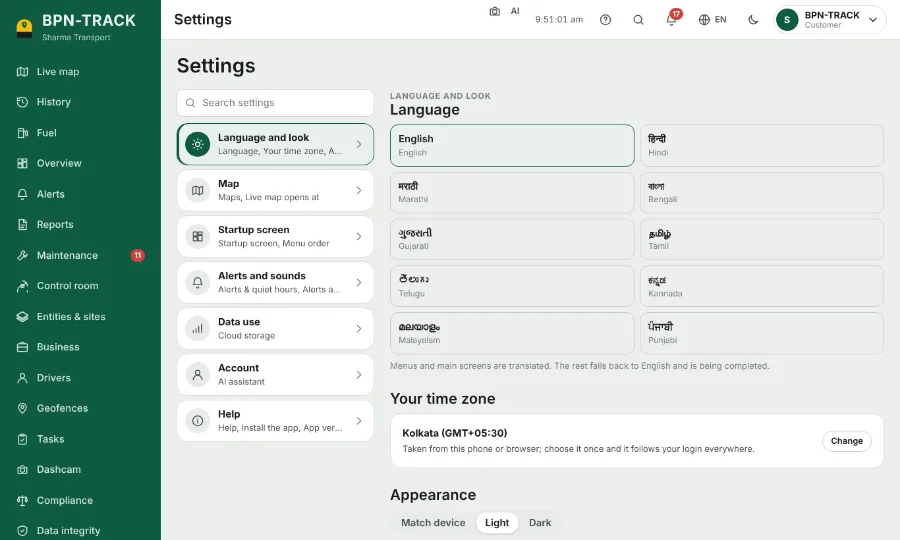
In Hindi and English, with support in Hindi
Every screen and the help guide in English and Hindi — switch with the globe button.
- Support from our team in Raipur, in Hindi and English.
- Built for India: Indian places, time zone and vehicle numbers.
Questions people ask
Does BPN-TRACK detect diesel theft?
With a fuel level sensor in the tank, BPN-TRACK marks suspected fuel loss in red on the fuel chart with the time, the place, the litres and the readings around it, shows street photos of the spot where they exist, and gives a proof you can copy or print. It catches theft down to 100 ml with the BPN-TRACK Advanced wireless fuel level sensor, and fuel sloshing in the tank does not raise false alerts. You get an alert by app notification, SMS, WhatsApp or email. An event you know is not real can be marked false.
How accurate are BPN-TRACK’s fuel refill and drain alerts?
With the BPN-TRACK Advanced wireless fuel level sensor and a proper one-time tank calibration, refill and drain alerts are accurate up to 99.95%, theft is caught down to 100 ml, and fuel sloshing in the tank does not raise false alerts — in metal and fibre tanks. We have been doing fuel monitoring since 2019.
Which fuel level sensors work with BPN-TRACK?
Wired and Bluetooth fuel level sensors are supported. The tank size and calibration table are set in the app, by hand or imported from CSV or Excel.
Is there an iPhone app?
The iPhone app is on its way. Until then, an iPhone user can open app.bpntrack.com in the phone’s browser — the web app works in any browser on a computer or phone. The Android app is on Google Play.
Is BPN-TRACK available in Hindi?
Yes. Every screen of the app and the whole help guide are in English and Hindi; switch with the globe button. Our team in Raipur gives support in Hindi and English.
Can I try BPN-TRACK without buying anything?
Yes. Open app.bpntrack.com and choose “Try the demo”. Enter your name, mobile and email, then the code sent to that email. A demo with a built-in fleet opens for two hours — no account needed.
See it with a ready demo fleet — no account needed
Open the live demo on your phone or computer. Questions? Our team in Raipur answers in Hindi and English.